How To Safely Hide Your Files And Folders Inside Images

hide your files inside images
There are many ways to hide and secure your sensitive information. Sometimes hiding sensitive information in plain sight can be the best way to hide it. And since there’s probably a lot of images on your computer, why not use them to hide text, without affecting the images and raising suspicion? Yes, it is possible to hide your text, files, and folders inside image files.

How To Hide Files and Folders Inside Image Files?

To hide files inside image files, you will need to have either WinZip or WinRAR installed on your computer. You can download either of these two off the Internet and use them without having to pay anything. Here are the steps for creating your hidden stash:
Step 1: Create a folder on your hard drive, i.e. C:\hide and put in all of the files that you want to hide into that folder. Also, place the image in the same folder that you will be using to hide the files in.
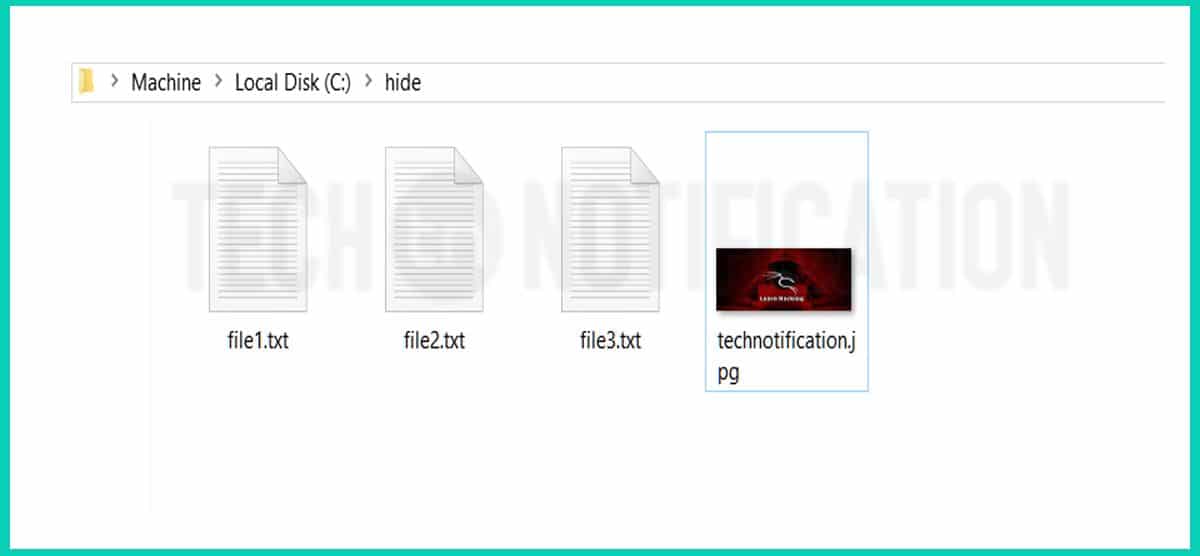
Folder to hide - Hide Files inside Image-compressed
A folder created inside C drive . Placed 3 files and a image
Step 2: Now select all of the files that you want to hide, right-click on them, and choose the option to add them to a compressed ZIP or RAR file. Only select the files you want to hide, not the picture. Name it whatever you want, i,e. “Hidefiles.rar”.
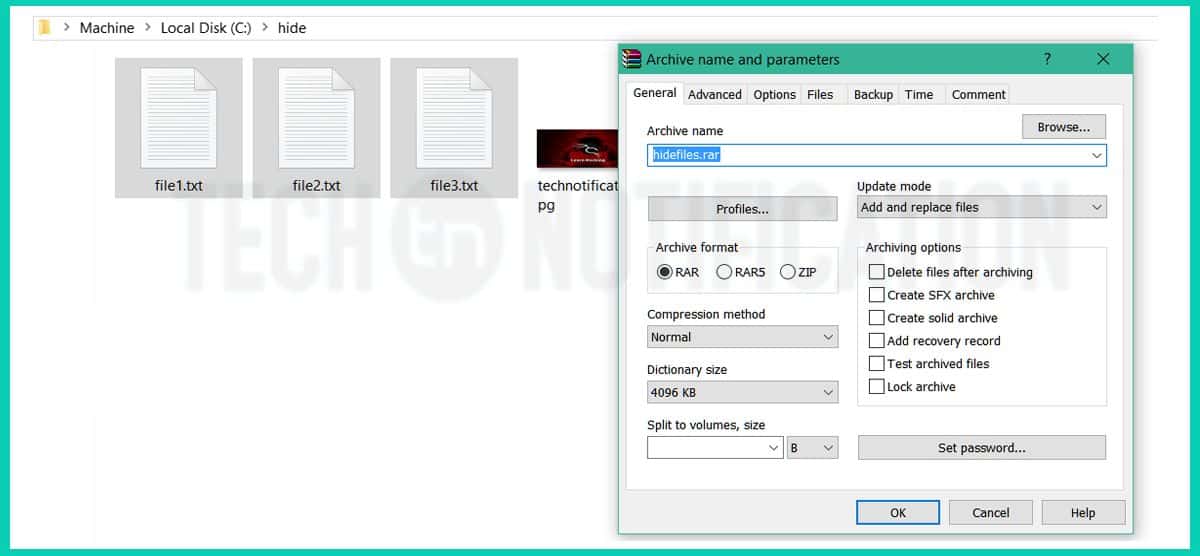
create rar file - Hide Files inside Image-compressed
Select all 3 files to make a .rar file
Step 3: Now you should have a folder that looks something like this with files, a JPG image, and a compressed archive
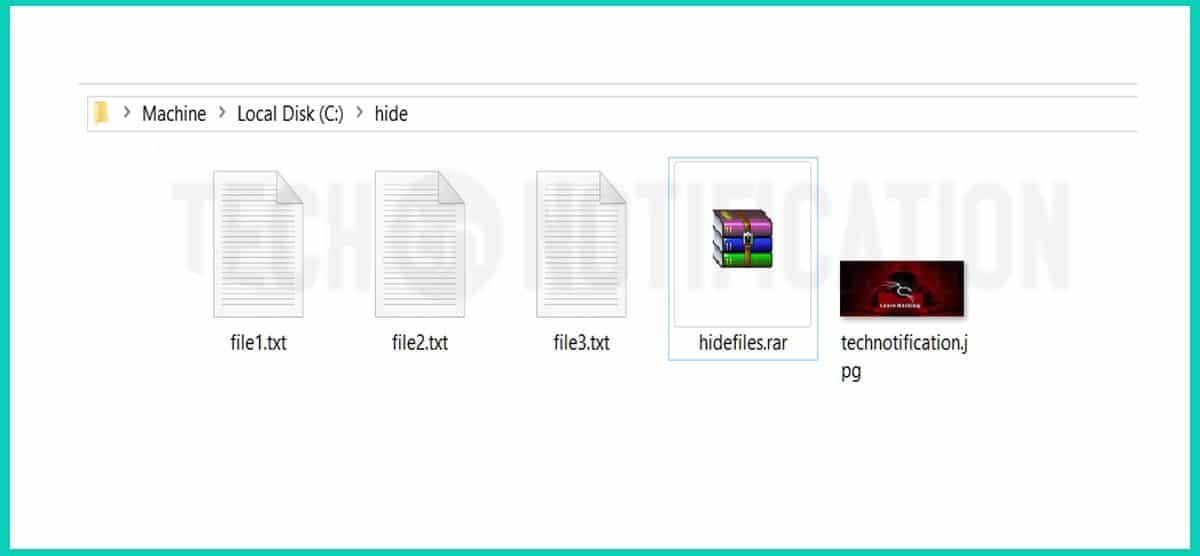
Files, Image and Archive in folder - Hide Files inside Image-compressed
Step 4: Now open command prompt. (Press Window + R to open Run, type CMD and Press ok)
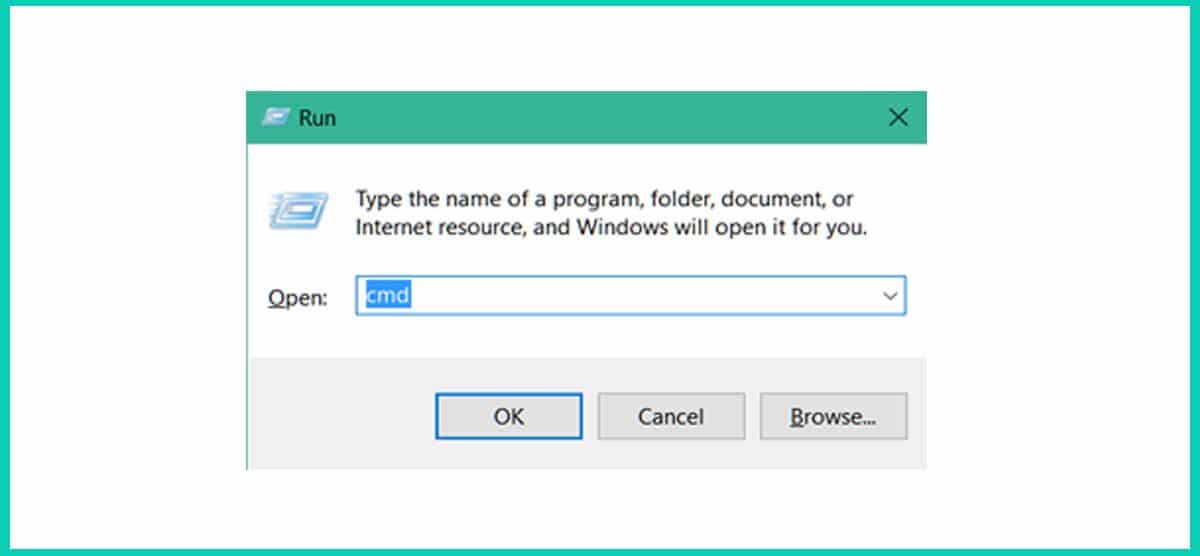
Hide Files inside Image-compressed
You can also open CMD from start menu in Windows 7
Step 5: Type CD \ in command prompt to open root directory. Type cd hide to open your folder that contains Hidefiles.rar file and JPG image.

open folder in CMD- Hide Files inside Image-compressed
Step 6: Now type copy /b technotification.JPG + hidefiles.rar technotification.jpg and Enter.
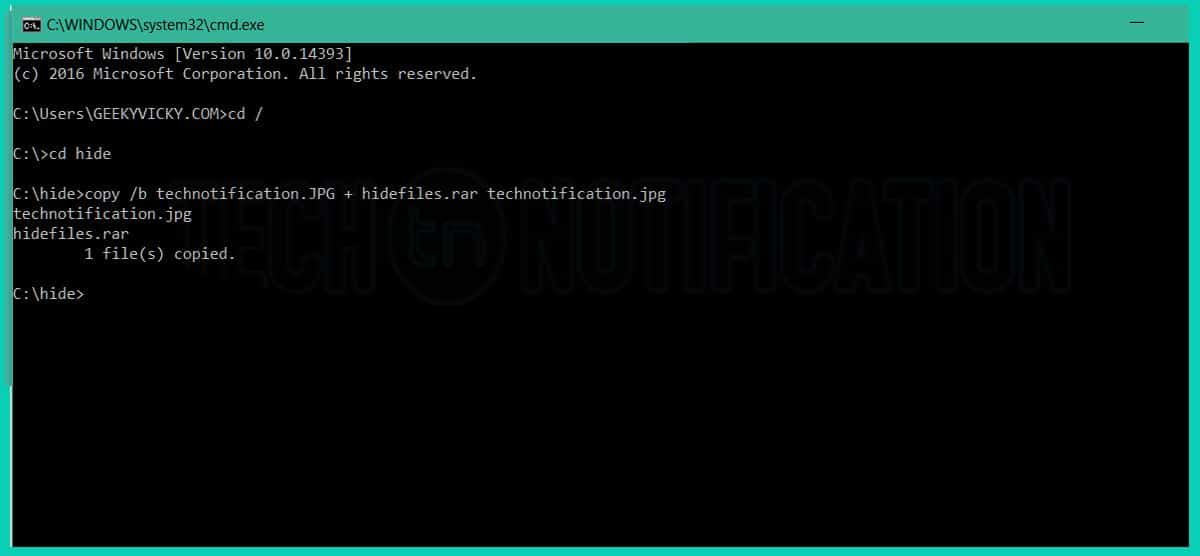
CMD command to hide- Hide Files inside Image-compressed
Step 7: Now the files are successfully hidden inside the image technotification.jpg .
Now if you open the hide folder once again, you will see all the files there as it was before. You can delete them all if you want except the image because the 3 files that you compressed are placed inside the image. The image will look normal, nobody can know that there are 3 files hidden inside the image.

How to show hidden files inside a image?

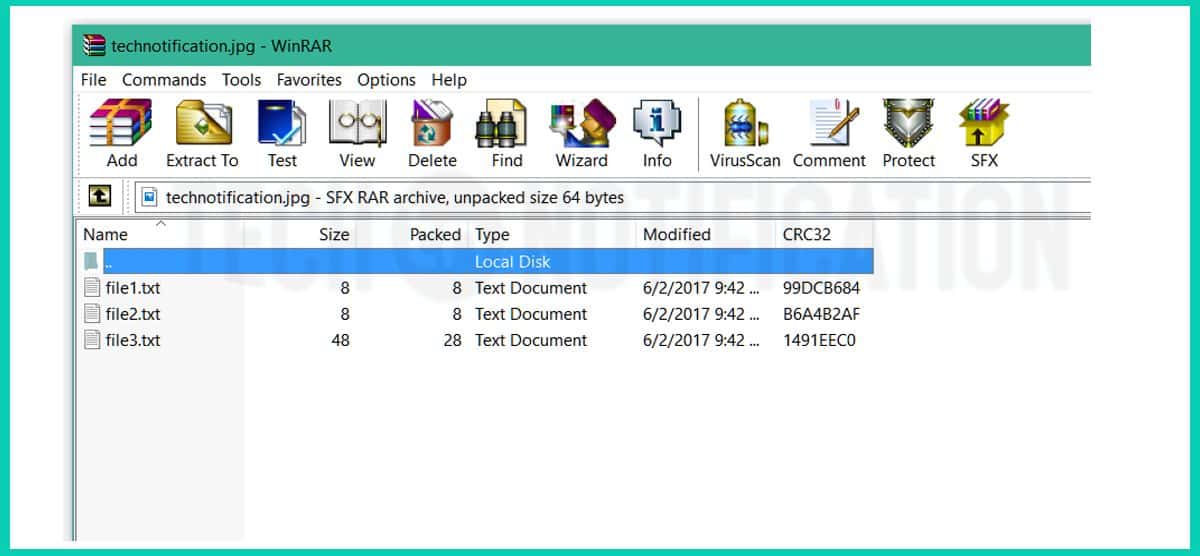
If you want to retrieve those files back to normal. You’ll have to open the image with Winrar or Winzip software.
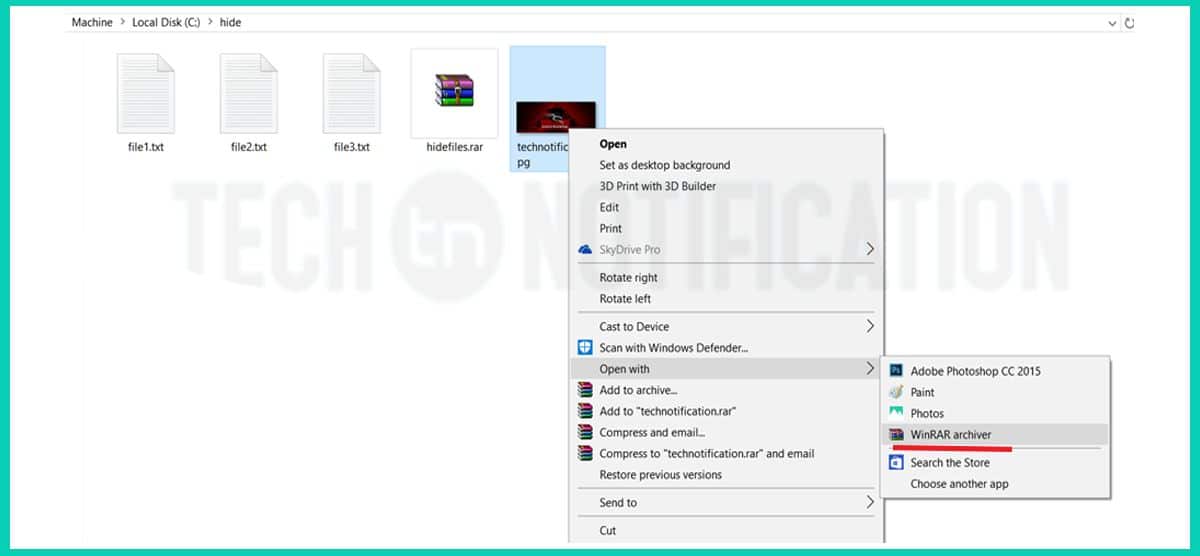
unhide hidden files- Hide Files inside Image-compressed
You can delete the other 4 files if you want
show all filesHide Files inside Image-compressed
That’s how you can extract your hidden files inside the picure

That’s it that is how you can hide any file (mp3, mp4,mkv. pdf, txt etc) inside any picture.

Comments

Popular posts from this blog

Would you get on a pilot-less plane?

How comfortable would you feel getting on a pilotless plane? That is the question millions of people may have to ask themselves in the future if they want to jet off on holiday around the world. As we move closer to a world of driverless cars, which have already been on the road in some US cities and have also been tested in London, remotely controlled planes may be the next automated mode of transport. Plane manufacturer Boeing plans to test them in 2018. A survey by financial services firm UBS suggests that pilotless aircraft not be too popular, however, with 54% of the 8,000 people questioned saying they would be unlikely to take a pilotless flight. The older age groups were the most resistant with more than half of people aged 45 and above shunning the idea. Only 17% of those questioned said they would board such a plane, with more young people willing to give them a try and the 25 to 34 age group the most likely to step on board. Safety fears One of the biggest deba...

Google Dorks : Use Google For Hacking websites, Databases and Cameras

Note: This article is only for educational purpose. You can use this knowledge to increase your system’s security or for any ethical purpose. Using  Google Dorks  For Hacking Google is the most popular search engine on the internet right now. People use it to find their answers, images, videos, news and notes etc. But, did you know that the Google can also help hackers to find vulnerable targets and steal unauthorized information?. Google is as much helpful for hackers as any other general user. Hackers use Google search engine to find Vulnerable systems (Be it a database, website, security cameras, or any IOT gadget) with the help of some special search queries. There are many Google search engine queries that can uncover vulnerable systems and/or sensitive information disclosures. These queries are known as Google Dorks. What is Google Dork or Google Dorking? In 2002, Johnny Long began to collect interesting Google search queries that un...