Facebook Password Stealer Steals Only The Hacker’s Passwords
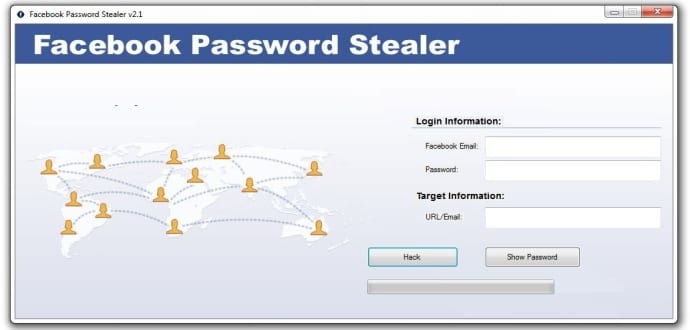
Facebook is one of the most popular targets for hackers. Researchers at Sydney-based LMNTRIX Labs recently came across a new Facebook password stealing malware being marketed online by cybercriminals, which actually steals data from attackers instead of victims. Dubbed as “Instant Karma”, the password stealing software injects a malicious code into the background when it downloads, exposing the user’s credentials, including personal and financial information.
“This appears very widespread and growing,” the research team told TechCrunch. “We classified this as an ongoing malicious campaign with the threat actors actively marketing it as ‘Facebook Password Stealer’ or, more innocuously, ‘Facebook Password Recovery.’
“The attackers also seem to be sophisticated marketers who understand there is potentially big demand for the purported service and are distributing the sample via Spam, Ad campaigns, Pop-ups, Bundled Software, Porn sites and also some times as a standalone software.”
The malware campaign lures the victims who are seeking the software for hacking into other people’s Facebook accounts. Once the victim clicks the “hack” button, it downloads and runs, and also drops a remote access Trojan (RAT) in the background.
Currently, the password stealing malware is only limited to Windows PC users, although it’s not uncommon to see similar malware targeting mobile users, the researchers said.
“The target market goes beyond a typical hacker subset (if there is such a thing) and targets the general user who may be tempted to get inside someone’s Facebook account (friends, enemies, significant others, et al.),” the researchers told TechCrunch. “While there have been methods and apps offering Facebook hacks, this specific malicious campaign which uses the promise of easy Facebook password theft as bait is completely new.”
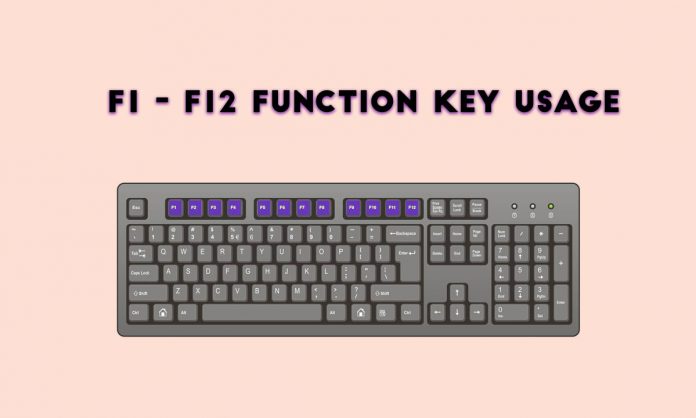
F1 to F12: Function Key Shortcuts Everyone Should Know
What do Keyboard F1 to F12 Function Keys do?
Most of us work with Windows or MAC. But many wonder what are the uses and features of the Functions keys F1 to F12. In this article, we will look into the function keys features and its uses.
Uses and Features of F1 to F12
F1 KEY Features and Uses:
F1 key is used for “Help.” If you are a Windows OS user and want the help of the particular program then press the F1 key, it will open up help window for you. In few cases, the F1 key is used to enter the BIOS mode. Press F1 when your computer is about to boot then your system opens into BIOS mode. Pressing the Win + F1 keys both together will open Help and Support Microsoft in Windows.
F2 is used to rename the selected file or folder(shortcut to rename file or folder). F2 works in all versions of Windows. Alt + Ctrl + F2, Opens the Document as a Microsoft Word. Ctrl + F2, Opens the Preview window in Microsoft Word.
F3 KEY Features and Uses:
In the MS-DOS charge line or Windows, press F3 to rehash the last summons. Win + F3, Advanced Search window opens in Microsoft Outlook. Shift + F3, Changes the content in Microsoft Word, from upper to lower case or capital letters at the start of each one expression. If I am not mixed up, it is the F3 key which will cause the Application«Control» computers Apple, running Mac OS X.
F4 KEY Features and Uses:
Opens the location bar when you press F4 in Windows Explorer and Internet Explorer. Rehash the last activity (MS Word ) Ctrl + F4, Closes the window open in the present window, for example, a tab in the program Alt + F4, Closes the system window in Windows.
F5 KEY Features and Uses:
F5 Refreshes the page or desktop. F5 helps running a slide to demonstrate in PowerPoint.
F6 KEY Features and Uses:
F6 moves the cursor in the location bar. Ctrl + Shift + F6 , opens Document in Microsoft Word
F7 KEY Features and Uses:
F7 is commonly used to check the spelling and grammar in any document programs of Microsoft like Word, Outlook and few other.
F8 key makes your PC to enter safe mode while PC is about to boot.
F9 KEY Features and Uses:
The F9 key mostly does not have any functionality in Windows. This key can be used in few programs like AutoCAD.
F10 KEY Features and Uses:
F10 key activates Menu in the open organizer window.
Shift + F10, works same as the right mouse click.
When your system is booting, and you press F10, it will show you BIOS Information.
F10 is also used to enter the hidden recovery partition on few computers.
F11 KEY Features and Uses:
F11 Key helps you to enter Full-screen mode in few programs and software, and it can be utilized and work in any Browser.
F12 KEY Features and Uses:
The F12 key opens the “Save As” in Microsoft Word.
Shift + F12, Saves a document in Microsoft Word. Ctrl + Shift + F12, Prints a document in Microsoft Word.
The F12 key helps to open the inspect element box in Browsers.
10 things You Need To Know Before Installing Linux
You might be tired of the constant security problems that you are finding on Windows today. Hackers will try hard to steal your personal and financial information if you run Windows. So what can you do? Install a version of Linux on your PC right away. We will let you know more about installing a version of Linux here.
Don’t Ditch Windows
You don’t need to get rid of Windows so you can install Linux successfully. Ubuntu can from a USB drive or on a dual-boot system, so you will have a lot of flexibility right off the bat with Linux right away.
Linux is truly simple to set up, and you will manage to do it in no time. Remember that you can easily install codecs and software on Linux the easy way whenever you need to.
All is Included
Linux comes with everything that you might need to get the job done and have fun right away. This free, open source operating system has everything you need to get started in no time such as GIMP and Firefox.
Tons of Security Features
Linux is a very secure operating system despite the fact that hackers don’t like to exploit it due to the small number of users. Remember that Ubuntu has been created to be secure from the very beginning.
Supporting the Open Source Community
Linux has been built under the open source philosophy where everything is open and free. You will support a strong global community of supporters of the free, open software movement too.
Tons of Versions
Linux has tons of versions that you need to think about such as Ubuntu and PCLinuxOS. Distrowatch is a good resource to read a lot of reviews about the different versions of Linux that you can use on your machine.
Free
Remember that Linux is free, and we cannot stress this fact enough today. Though you will have to pay for a version such as Elite and Red Hat Linux, most of the versions of this operating system are free.
USB Drive
You can create your own USB drive to install a version of Linux such as Ubuntu. You can also find a guide online that will teach you everything you need to know to create this USB drive.
Strong Hardware Support
Linux offers strong support for audio devices, scanner, printers, and other types of hardware. This is often a common myth among Linux users who believe that this operating system does not have enough support for external devices.
Support for Windows Apps
WINE is an app that will allow you to run Windows apps on a version of Linux, but you might not get all you want. The reason for this is that some Windows app will not work.
You can get the version of Linux that you want to use today for free. Ubuntu has a lot of amazing, free apps that will make your life easier down the road. Remember that any version of Linux has outstanding security features that you can take advantage of right away. This will allow you to have a lot of flexibility in no time.
How To Safely Hide Your Files And Folders Inside Images
There are many ways to hide and secure your sensitive information. Sometimes hiding sensitive information in plain sight can be the best way to hide it. And since there’s probably a lot of images on your computer, why not use them to hide text, without affecting the images and raising suspicion? Yes, it is possible to hide your text, files, and folders inside image files.
How To Hide Files and Folders Inside Image Files?
To hide files inside image files, you will need to have either WinZip or WinRAR installed on your computer. You can download either of these two off the Internet and use them without having to pay anything. Here are the steps for creating your hidden stash:
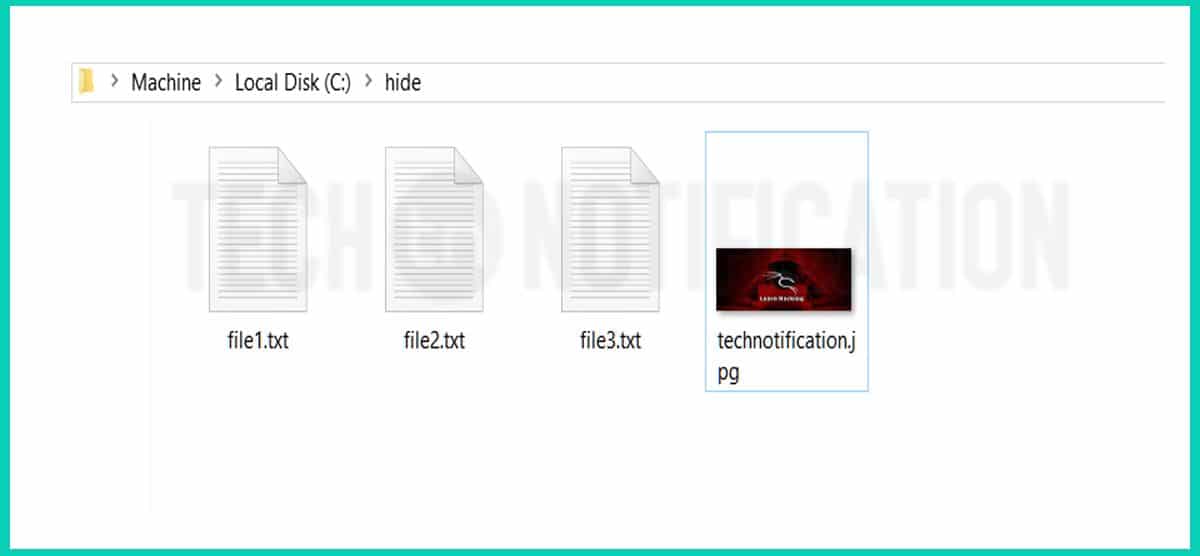
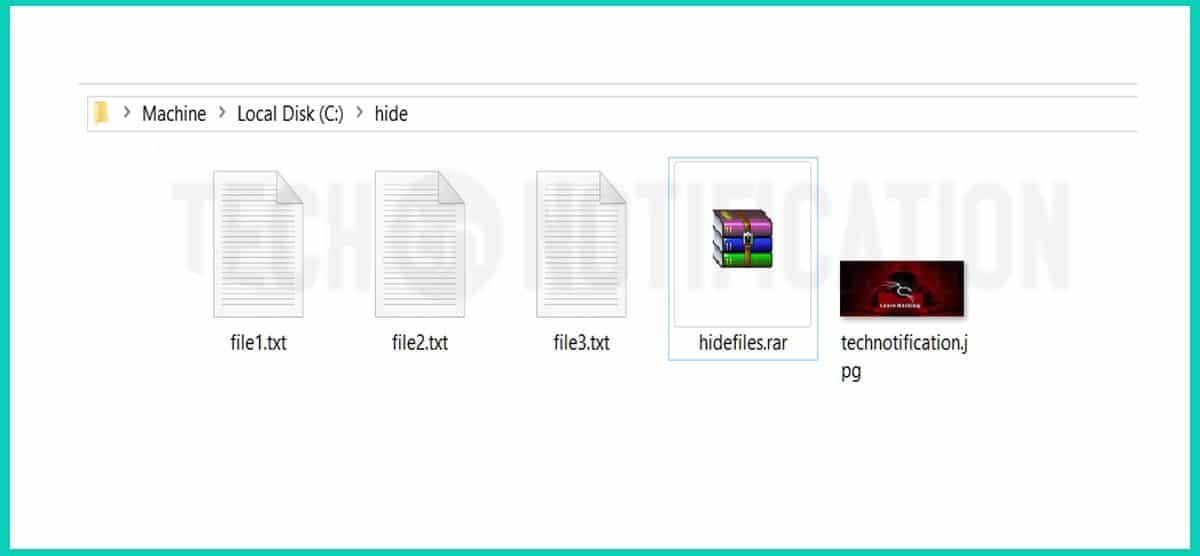
Step 1: Create a folder on your hard drive, i.e. C:\hide and put in all of the files that you want to hide into that folder. Also, place the image in the same folder that you will be using to hide the files in.
A folder created inside C drive . Placed 3 files and a image
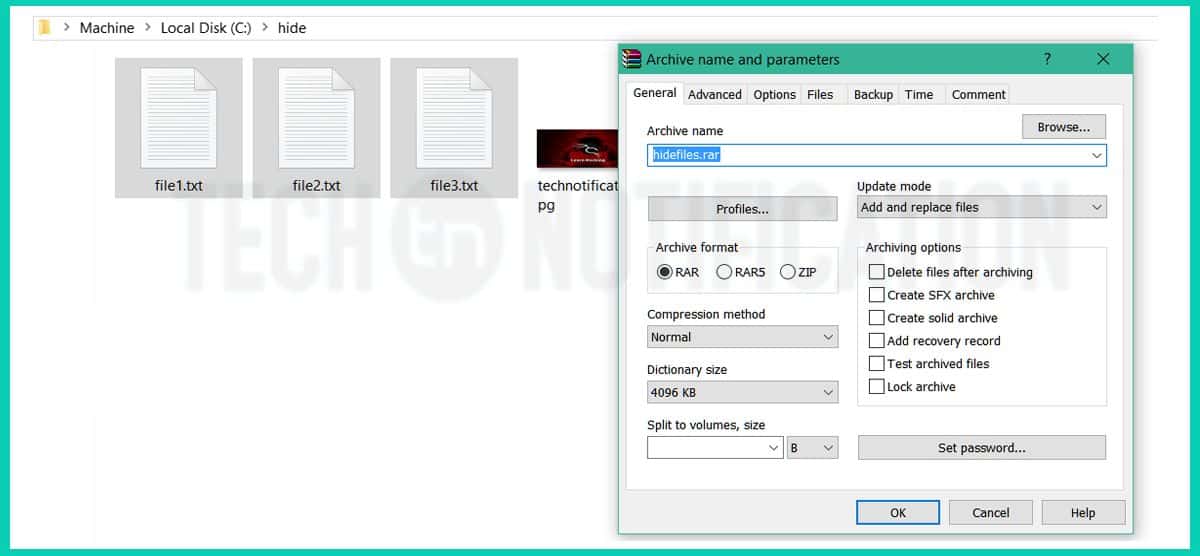
Step 2: Now select all of the files that you want to hide, right-click on them, and choose the option to add them to a compressed ZIP or RAR file. Only select the files you want to hide, not the picture. Name it whatever you want, i,e. “Hidefiles.rar”.
Select all 3 files to make a .rar file
Step 3: Now you should have a folder that looks something like this with files, a JPG image, and a compressed archive
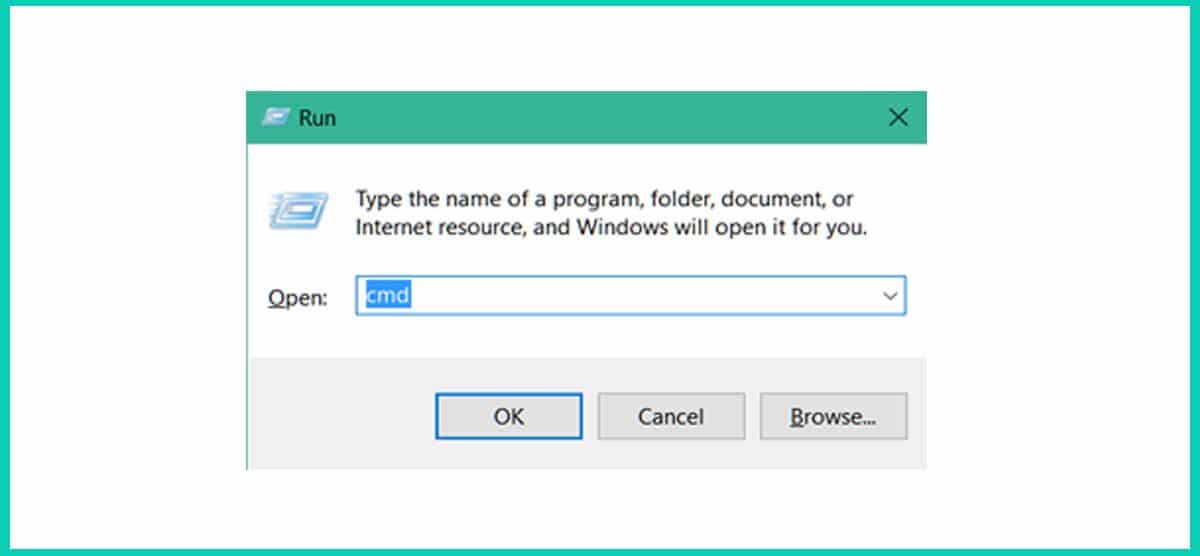
Step 4: Now open command prompt. (Press Window + R to open Run, type CMD and Press ok)
You can also open CMD from start menu in Windows 7
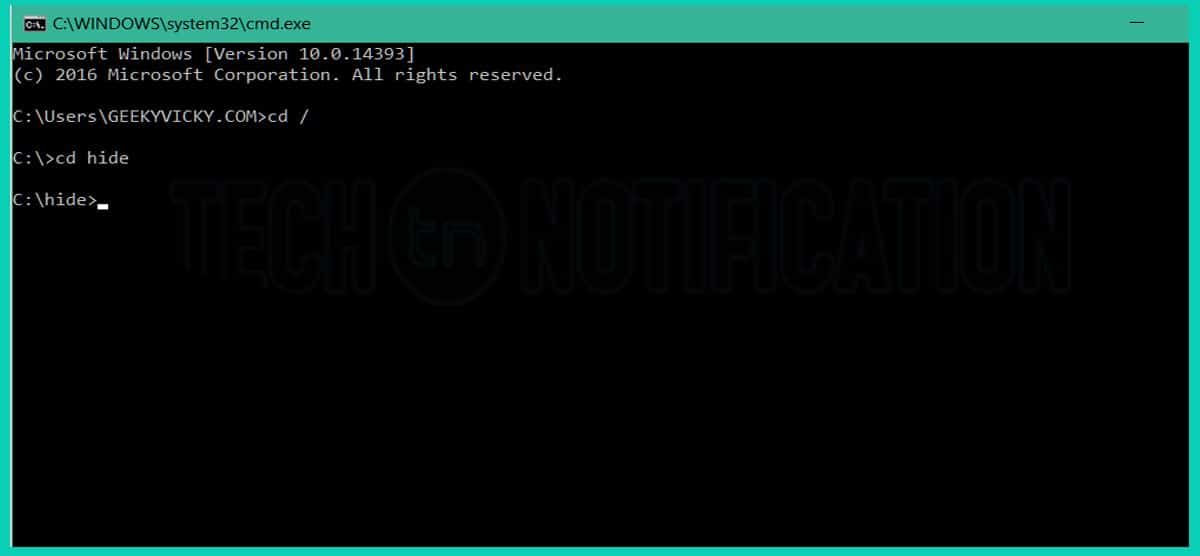
Step 5: Type CD \ in command prompt to open root directory. Type cd hide to open your folder that contains Hidefiles.rar file and JPG image.
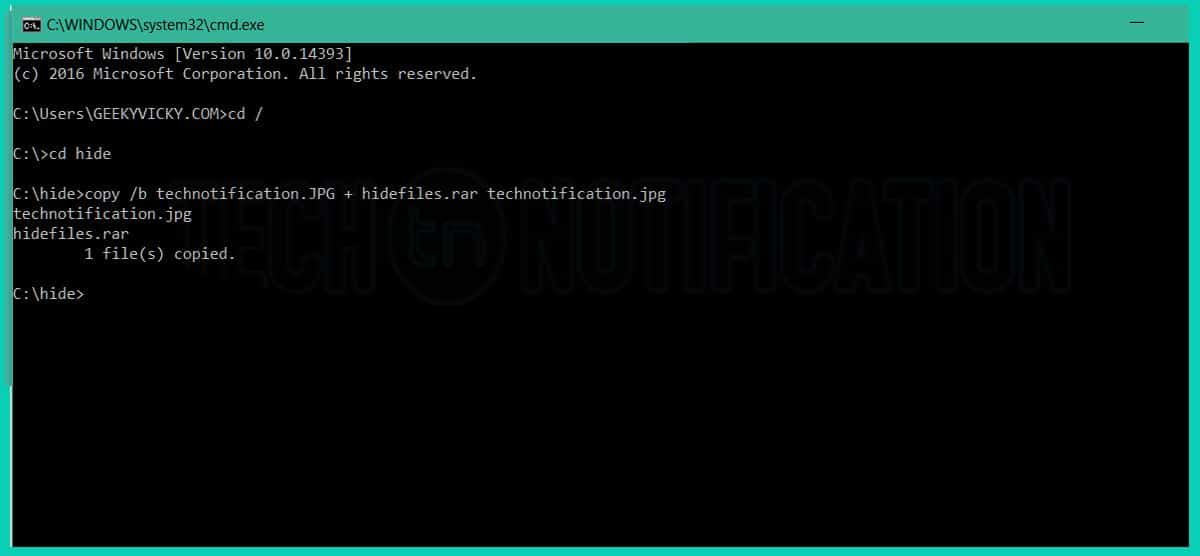
Step 6: Now type copy /b technotification.JPG + hidefiles.rar technotification.jpg and Enter.
Step 7: Now the files are successfully hidden inside the image technotification.jpg .
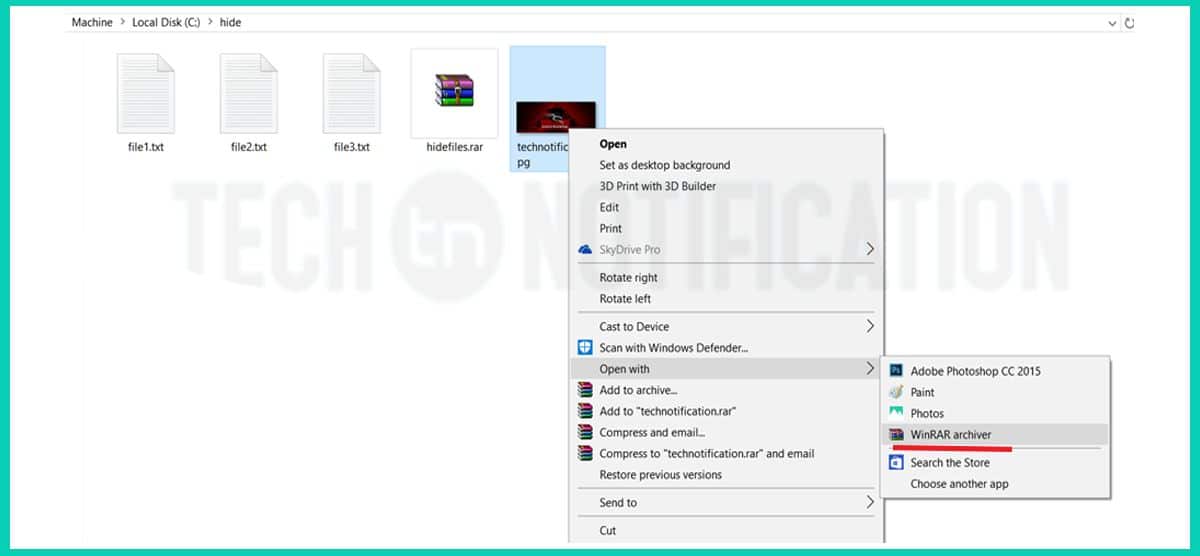
Now if you open the hide folder once again, you will see all the files there as it was before. You can delete them all if you want except the image because the 3 files that you compressed are placed inside the image. The image will look normal, nobody can know that there are 3 files hidden inside the image.
How to show hidden files inside a image?
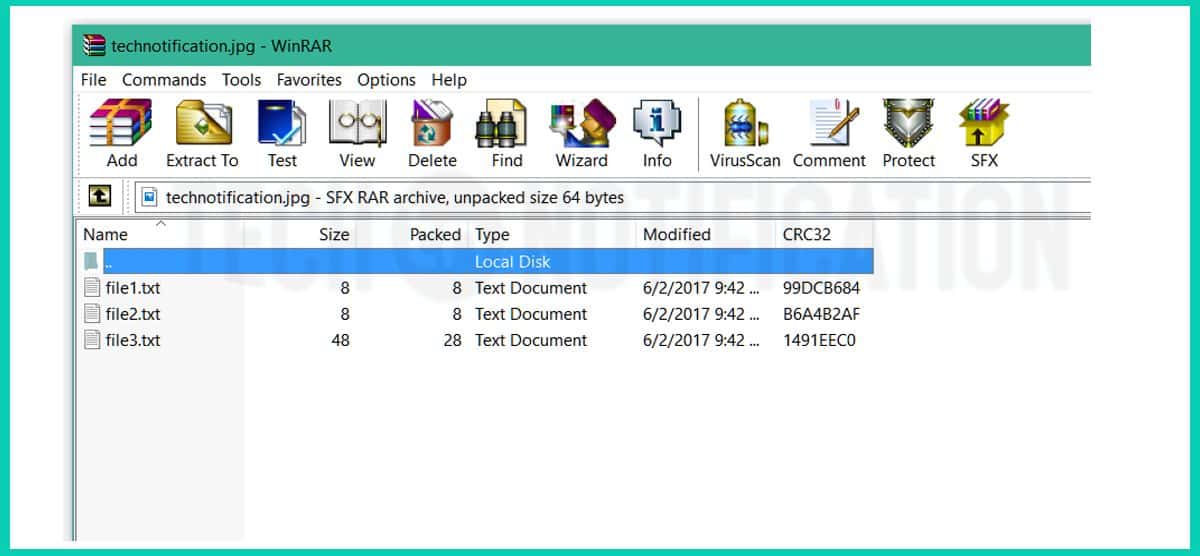
If you want to retrieve those files back to normal. You’ll have to open the image with Winrar or Winzip software.
You can delete the other 4 files if you wantThat’s how you can extract your hidden files inside the picure
That’s it that is how you can hide any file (mp3, mp4,mkv. pdf, txt etc) inside any picture.
Google is the most popular search engine on the internet right now. People use it to find their answers, images, videos, news and notes etc. But, did you know that the Google can also help hackers to find vulnerable targets and steal unauthorized information?. Google is as much helpful for hackers as any other general user.
Hackers use Google search engine to find Vulnerable systems (Be it a database, website, security cameras, or any IOT gadget) with the help of some special search queries. There are many Google search engine queries that can uncover vulnerable systems and/or sensitive information disclosures. These queries are known as Google Dorks.
What is Google Dork or Google Dorking?
In 2002, Johnny Long began to collect interesting Google search queries that uncovered vulnerable systems or sensitive information disclosures. He labeled them Google dorks. Some people call it Google hacking.
Google Dorking is the method for finding vulnerable targets using Google dorks. Google Dorking can return usernames and passwords, email lists, sensitive documents and website vulnerabilities.
Ethical Hackers use Google Dorking to improve system security. Black hat hackers use this technique for illegal activities, including cyber terrorism, industrial espionage, and identity theft.
Google dorks can find Footholds, Sensitive Directories, Vulnerable Files, Vulnerable Servers, Network or Vulnerability Data, Various Online Devices, Files Containing Usernames and Passwords, Sensitive Online Shopping Info and Pages Containing Login Portals.
List of Google Dork Queries
Google dork Queries are special search queries that can be searched as any other query you search on google search engine. You just need to type the query in Google search engine along with specified parameter.
1. Google Dorks For Hacking websites
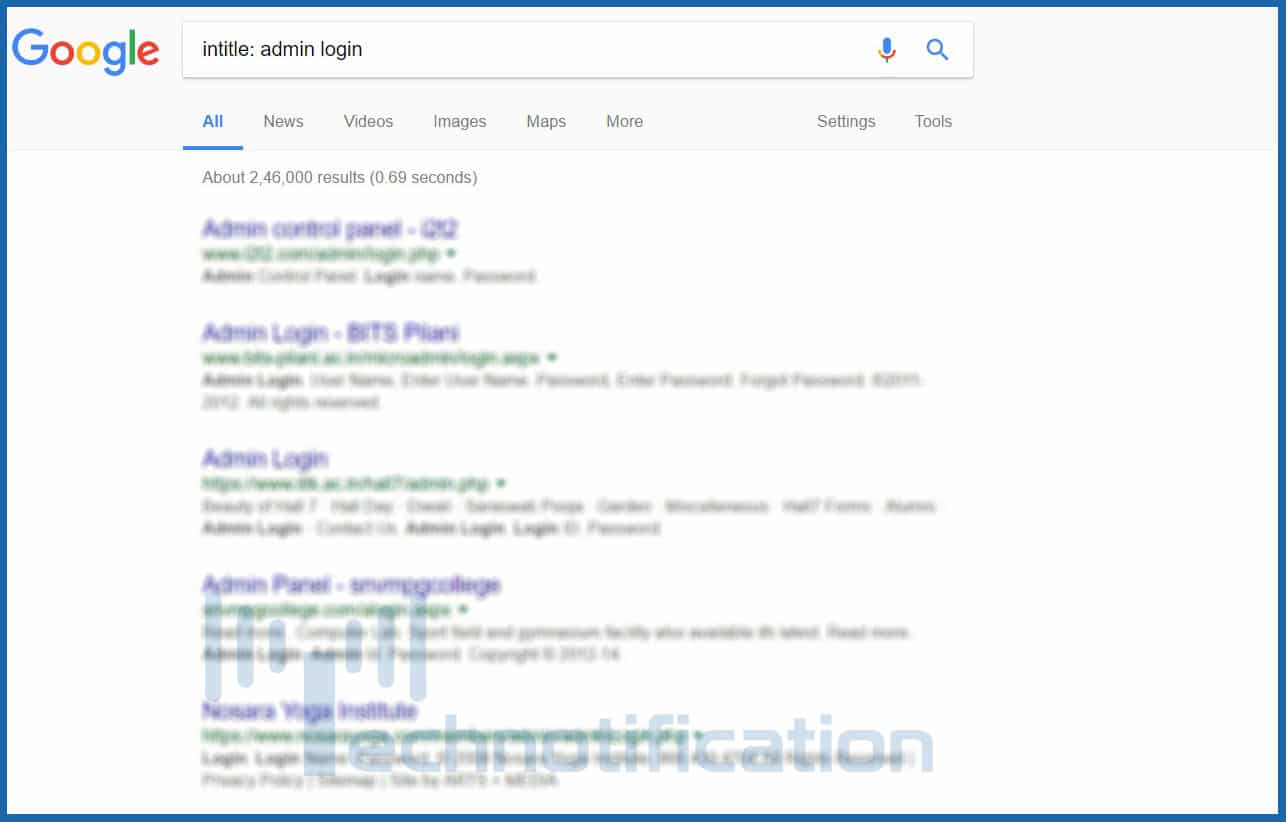
intitle: This dork will tell Google to show only those pages that have the term in their HTML title. For example: intitle:”login page” will show those pages which have the term “login page” in the title text.
allintitle: It is similar to intitle but looks for all the specified terms in the title. For example: allintitle:”login page”
inurl: It searches for the specified term in the URL. For example: inurl:”login.php” andinurl:proftpdpasswd
allinurl: It is similar to inurl but looks for all the specified terms in the URL. For example: allinurl:”login.php”.
define: Google will define this message and will look for what had this error. For example: define:”sql syntax error”
site: This dork will return all the pages of a particular website that is crawled by Google. For example, site:technotification.com.
link: It will also look in the site for URLs that possibly are vulnerable to sql injection. For example: link:index.php?id=
2. Google Dorks For Hacking Files
filetype: Searches for specific file types. filetype:pdf will look for pdf files in websites.filetype:txt looks for files with .txt extension. This way you can search for a file with any extension like mp4, mp3, Mkv, etc. site:onedrive.live.com shared by
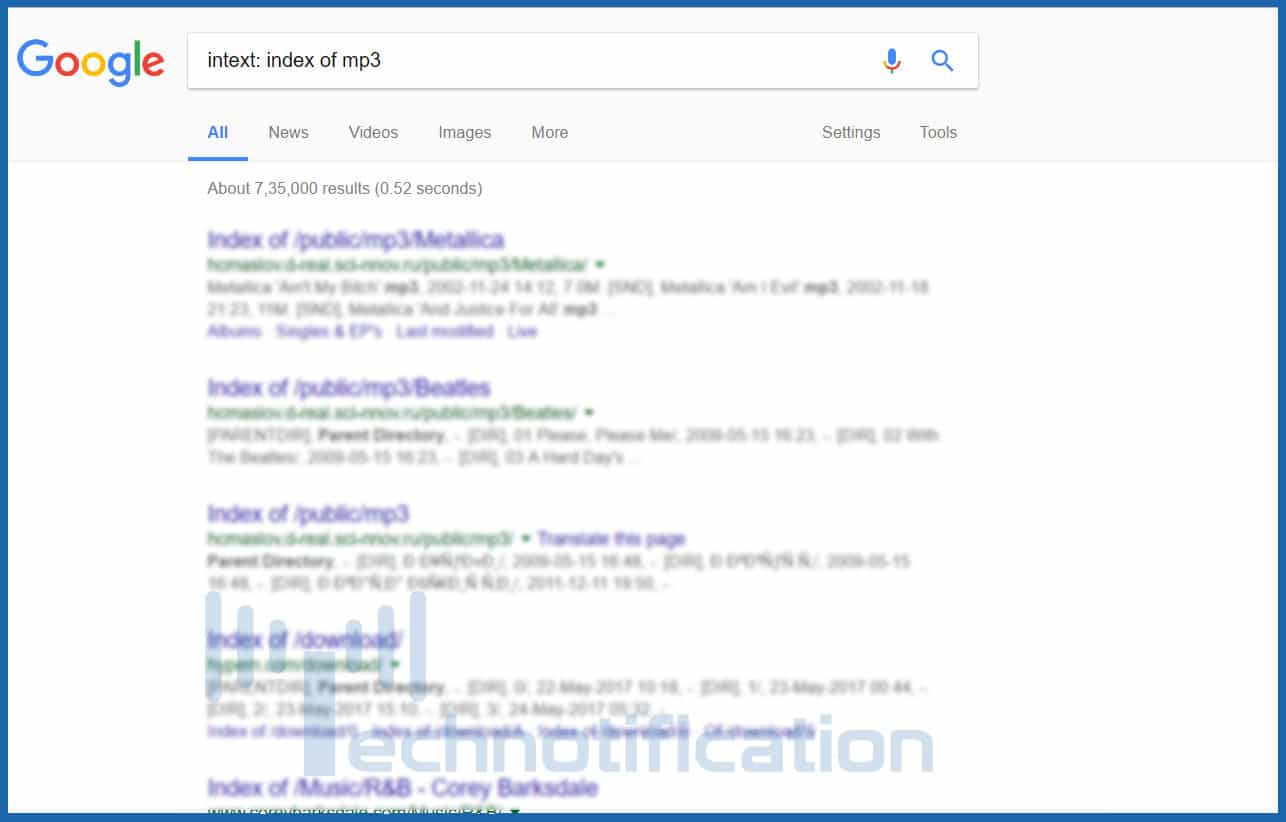
intitle: You can look into file directories of websites directly and download specified file intitle: index of mp3 for mp3 files. You can replace mp3 with any other extension. You can also use to find any particular movie or game. intitle: “index of ” intext: “movie name” .
book: find any book using Google search engine. for example: book: java
3. Google Dorks for finding username and passwords
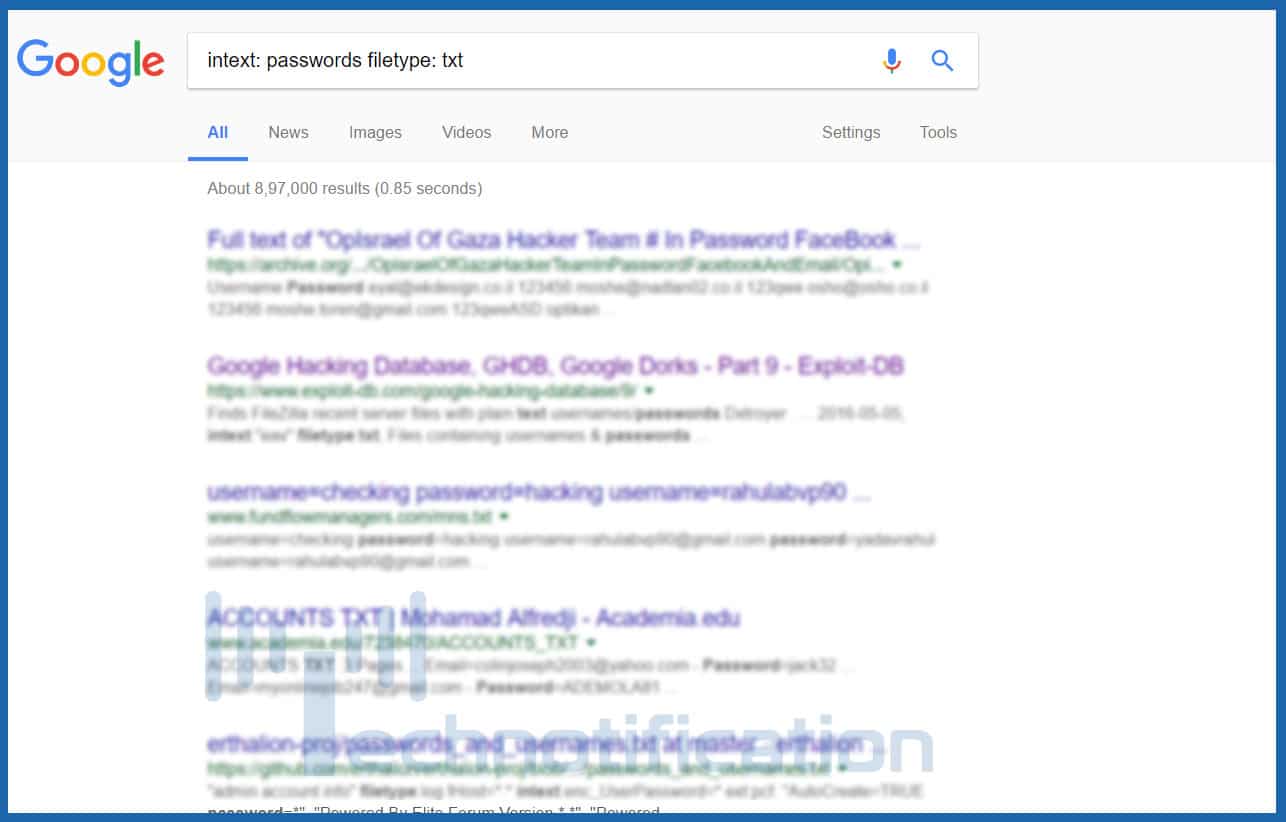
intext: passwords filetype: txt
mysql history files
intext: account details filetype: txt
intitle:index.of intext:”secring .skr”|&q…
people.lst
passwd
master.passwd
pwd.db
htpasswd / htpasswd.bak
htpasswd / htgroup
spwd.db / passwd
passwd / etc (reliable)
config.php
passlist
4. Google Dorks For Hacking Security Cameras
Type any of these queries into google to find vulnerable security cameras
Inurl:”CgiStart?page=”
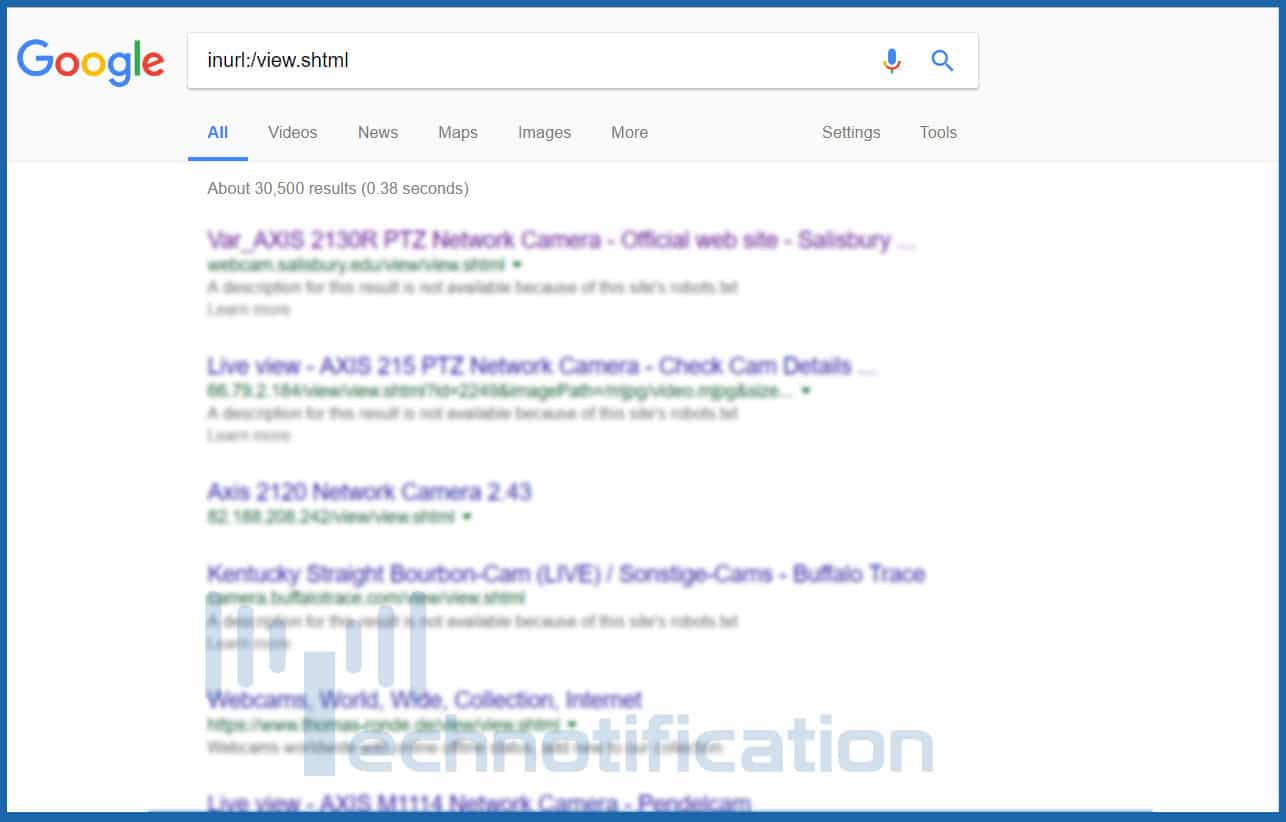
inurl:/view.shtml
intitle:”Live View / – AXIS
inurl:view/view.shtml
inurl:ViewerFrame?Mode=
inurl:ViewerFrame?Mode=Refresh
inurl:axis-cgi/jpg
inurl:axis-cgi/mjpg (motion-JPEG) (disconnected)
inurl:view/indexFrame.shtml
inurl:view/index.shtml
inurl:view/view.shtml
liveapplet
intitle:”live view” intitle:axis
intitle:liveapplet
allintitle:”Network Camera NetworkCamera” (disconnected)
intitle:axis intitle:”video server”
intitle:liveapplet inurl:LvAppl
intitle:”EvoCam” inurl:”webcam.html”
intitle:”Live NetSnap Cam-Server feed”
intitle:”Live View / – AXIS”
inurl:indexFrame.shtml Axis
These are the most common search queries used by the hackers. However, there is a big database of such queries available at HackersForCharity called Google Hacking Database. You can find more google dorks in this database.
Difference between a coder, a programmer, a developer and a software engineer
Maybe you have heard about these job titles in the past, but what exactly is the difference between them? Some people claim that it mostly depends on your education and on what you have achieved; in some way, this may be true, but some others claim that sometimes the company you are working for decides if you are a programmer, a developer or other, making it merely a job title. Let’s take a closer look to this.
What is the exact difference Between a coder, a programmer, a developer and a software engineer?
1. Coder
A Coder is a person in charge of writing the code that makes most of our apps run properly. Those who are coders have the ability to create software that can be used not only in apps but also in video games, social media platforms, and many others. Coders sometimes cannot do all the phases required in the making of a software, like designing or testing, they mostly take part only in the phase of writing the base code. In some cases, there are people who may get offended If you call them a coder.
2. Programmer
A Programmer is a bit more specialized person. They are able to create computer software in any primary computer language, like Java, Python, Lisp, etc. Programmers are said to go beyond coders, they may specialize themselves in one area or may even write instructions for a wide variety of systems.
They also understand quite well algorithms. Programmers can be similar to Developers but the ones who implements are not the same as the ones who can design or do a well class structure within the software. They can take care of many details.
A Developer can write and create a complete computer software out of nowhere taking care of the design and other features. They are key for the development of any software applications; they are also experts in at least one programming language. Some people consider them true professionals that can take care of all the generals. Developers can sometimes be more general when it comes to the development of a software, unlike Programmers.
A Software Engineer is an individual that applies the principles and techniques of computer science or software engineering to everything regarding the development of a new independent software; from analyzing what the particular needs of the user are, going through the design, maintenance and testing, and even the final evaluation of the software. They are able to create software’s for any kind of system as operating systems software, network distribution, compilers and so on. They often have a college degree and can prove things theoretically.
Another way for understanding the differences between a Coder, a Programmer, a Developer and a Software Engineer is seeing them as a hierarchy or as stair, where the Coder can be found in the low section of the stair and the Software Engineer can be found at the top. Maybe to you all these job tittles may mean the same because you once knew a Developer that could do everything a Software Engineer can, but there are really some differences between them are worth knowing.
If some companies take special attention in the name of their employees or not, it is not such a big deal to worry about; what really matters is knowing what you can do and how well you can do it.
The security industry needs to worry less about technology and more about people, said Facebook's security boss.
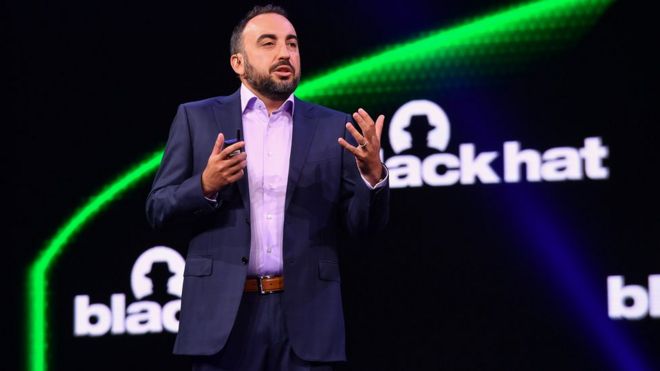
Alex Stamos scolded the security industry in the opening keynote of the 2017 Black Hat conference.
He said there was too much focus on technically complex "stunt" hacks and not enough on finding ways to help the mass of people stay safe.
The problem would only worsen if the industry did not become more diverse and exhibit more empathy, he said.
No spies
"We have perfected the art of finding problems without fixing real world issues," he told attendees. "We focus too much on complexity, not harm."
He cited examples of technically brilliant presentations at the show, such as insulin pumps being hacked, that had little relation to real issues experienced by people who use technology rather than work with it or understand it well.
In World War II, the Allies employed all kinds of sneaky tricks to deceive their enemies into thinking they had more troops and weapons at their disposal than they actually had.
The camouflage techniques of one unit active in North Africa, which on one occasion consulted a stage magician about the way he fooled audiences, proved decisive in several key battles. And the biggest deception of all was Operation Fortitude which fooled the Nazis about where the D-Day landings would actually take place.
The same principles of deception and misdirection, albeit on a much smaller scale, are now starting to be used by some organisations to thwart malicious hackers keen to establish a bridgehead on internal networks.
"It's a classic idea of warfare to prevent the adversary from having a real understanding of your reality," said Ori Bach from deception technology firm Trapx. "It's just like the Allies in WWII. They made fake tanks, fake air bases, fake everything."
And just like those ersatz weapons of war, the fakes implanted on a network look just like the real thing.
"We create a shadow network that is mimicking the real network and is constantly changing," he said.
The use of so-called deception technology has grown out of a realisation that no organisation can mount perfect digital defences. At some point, the attackers are going to worm their way in.
Given that, said Mr Bach, it was worth preparing for their arrival by setting up targets that are simply too juicy for the malicious hackers to ignore once they land and start looking around.
"We want our shadow network to be more attractive to the hackers than the real stuff," he said.
Sweet treat
Deception technology has grown out of work on another useful cyber-thief tracking technology known as honey pots, said Joe Stewart of deception firm Cymmetria.
A honey pot is a computer that resembles a typical corporate server to the automated tools that many hackers use to scour the net for targets. Many large security firms set up lots of individual honey pots, he said, to gather intelligence about those tools and the malware being used to subvert them.
But, said Mr Stewart, the problem with honey pots is that they are passive and only involve a few separate servers.
By contrast, deception technology is generally used on quite a grand scale so any attacker that turns up has little clue about what is real and what is fake.Typically, said Mr Stewart, the spoofed network will be made to look more attractive to hackers by seeding the real network with "breadcrumbs" of information that lead to the fake network.
These tantalising chunks of data hint at all kinds of goodies that hackers are keen to steal, such as payment data, customer details, login credentials or intellectual property. But, instead of leading attackers to data they can sell, it leads them down a deep confusing hole that gets them no closer to that elusive, valuable data they crave.
He added that as soon as they start following the crumbs and interacting with that fake network, everything they do is recorded. That intelligence can be hugely useful, said Mr Stewart, because it involves what attackers do after their automated tools have got them a toehold on a network.
"The initial intrusion was probably done with something that was just spammed out," he said and, as such, would be spotted and logged by many different defence systems.
"What's much more interesting is the second stage persistence tools."
Organisations rarely get a look at these, he said, because once an attacker has compromised a network they usually take steps to erase any evidence of what they did, where they went and what software helped them do that.
Simple steps
Organisations do not have to commit huge amounts of resources to deception systems to slow down and thwart hacker gangs, said Kelly Shortridge from the security arm of defence firm BAE.
Instead, she said, more straightforward techniques can also help to divert attackers and waste their time.
For instance, she said, a lot of malware is now able to detect when it is being run inside a sandbox - a virtual container that helps to ensure that malicious code does not reach real world systems. Many firms use systems that quarantine suspicious files into sandboxes so if they do have malign intent they can do no harm.
Often, said Ms Shortridge, malware will not detonate if it believes it has been put into such a sandbox.
By mimicking the characteristics of sandboxes more widely it can be possible to trick malware so it never fires, she said.
Other tricks include seeding a network with the text and words that attackers look for when they are seeking a way in. Making them chase false leads can help frustrate attackers and prompt them to seek easier targets, she said.
"It's all about making reconnaissance the hardest step."
Burn rate
It is not just the gathering of information about attacks that makes deception systems so useful, said Mr Bach from Trapx.
"By engaging them and providing them with targets they are expending their most valuable resource, which is time," he said.
Instead of spending time cranking through a real network, any attacker diverted on to the shadow system is, by definition, wasting their time.
In addition, he said, because the shadow system resembles real world desktops and servers, attackers will sometimes use their own valuable assets in a bid to worm their way deep into what they think is a corporate network.
Some of the most valuable assets that cyber-thieves possess are the never-before-seen software vulnerabilities that they have bought on dark web markets.
"If they have spent a lot of money acquiring a vulnerability and they have used it to attack a decoy then that's a huge win for the defenders," he said. This is because using it reveals information about a previously unknown vulnerability that defenders will then share with others so they can properly patch and prepare for it.
Finding and buying software vulnerabilities is a time-consuming and expensive process, said Mr Bach, and undermining it can have long-term consequences for the malicious hacker groups.
"Cyber-thieves are financial operations," he said. "They spend money on R&D and on intelligence on the dark net. If they do not get more money back as a return then that criminal enterprise will ultimately fail.
When Roger Dingledine talks about the dark web, he waves his hands in the air - as if not quite convinced of its existence.
I give him the benefit of the doubt - his arguably blasé attitude, I think, is a symptom of being consistently called upon to defend his creation.
He is the co-creator of Tor, the most popular software available for gaining access to the part of the internet unreachable using a conventional browser - including what is often referred to as the dark or underground web.
To some, Tor is a menace: a (largely) impenetrable system that enables some of the most depraved crimes to take place on the internet.
To others, it is a lifeline, the only way to safely access the online services that most of us take for granted.
Dingledine would rather we talked about the latter. The scale of the dark web - with its drug deals, weapons sales and child abuse imagery - is insignificant when considered in the bigger picture, he argues.
But we must talk about the former. I meet Dingledine at this year's Def Con, the large underground hacking convention held in Las Vegas.
The timing was ideal - the event came just over a week after the closure of two huge dark web marketplaces. The biggest, Alphabay, was said to boast more than 200,000 users and $1bn (£0.7bn) a year in revenue.
Dingledine's talk was the day prior to our meeting, and in it he criticised misinformed journalists for sensationalising the size and scale of the dark web.
"I think a lot of it comes down to incentive mismatches," he tells me, "where journalists have to create more controversy and get something so that everybody will want to read their article.
"The story is privacy is under threat around the world, and that's been the story for a while - so they need a new story."
Abuse
The Tor Project's website has a section called "Abuse FAQ".
It is here the group attempts to address the most controversial side of Tor use: that it is an enabler of criminals intent on carrying out the most shocking and sickening crimes.
When talking about this, Dingledine invokes the "guns don't kill people" defence. Tor does not commit crime, he says, criminals do.
"I would say that there are bad people on the internet and they're doing bad things, but Tor does not enable them to do the bad things.
Media
"It's not like there's a new set of bad people in the world who exist because Tor exists."
I guess not. But I suggest that Tor indisputably provides a way in which a novice can make themselves essentially untraceable online.
"I still think that most of the bad stuff on the internet has nothing to do with Tor," Dingledine insists.
"Most of the bad stuff on the internet is due to huge criminal organisations. There's a lot of crime out there."
Click button policing
In layman's terms, Tor hides your identity by pinging your connection around many different servers across the world, making your actual location extremely hard to track.
There have been rumours that law enforcement has "cracked" Tor but, aside from isolated vulnerabilities, Dingledine says the concept remains solid.
"As far as I know, no, they haven't [cracked Tor].
"Tor is the best option there is out there, but that doesn't mean Tor is perfect. No software is perfect."
Any major busts and arrests have been traced back to human error - good old, old-fashioned policing.
"Which is frustrating," Dingledine interjects, "Because the modern police world wants to just click a button and have the bad guy show up. Old-fashioned police work is hard, takes energy."Tor was mentioned in the documents leaked as part of Edward Snowden's whistleblowing in 2014. Under the delicate heading "Tor Stinks… but it could be worse", the National Security Agency (NSA) noted: "We will never be able to de-anonymise all Tor users all the time."
Given this, you would think the US (and others) would be taking every step to weaken Tor. Ban it, even. But in fact, the US government has done more than any other to keep it alive - donating several million dollars to Dingledine and team since the project's inception in the nineties.
He is confident that funding will continue.
"A lot of the US government funding for internet freedom tools comes from Republicans. The current congress is quite supportive of giving people tools to keep people safer on the internet."
The reason? The FBI, CIA, military and others all value anonymity too. In their ideal world, Tor would exist, but they would hold a secret key to break in.
Good uses
In 2014, Facebook's London team announced it had set up a way for users to access Facebook through Tor. More than a million people use the site in this way every month.
"About 97% of Tor traffic has to do with people going to Facebook, and Wikipedia, and BBC, and ordinary websites on the internet, and they want to go there more safely," Dingledine says.
"Whereas 3% of the traffic has to do with this 'dark web' thing…. I have to wave my hands when I say the phrase."
The ability to access social networks anonymously is invaluable to people living in oppressive regimes or countries with high levels of surveillance around what citizens do online.
But given the majority of users can be found in the US and Europe - in places not typically considered to be oppressive - I argued that Tor's justification hinging on the needs of activists perhaps seems less than convincing.
"I think the line is getting a lot more blurry between the free countries, and the un-free countries," he says.
How comfortable would you feel getting on a pilotless plane? That is the question millions of people may have to ask themselves in the future if they want to jet off on holiday around the world. As we move closer to a world of driverless cars, which have already been on the road in some US cities and have also been tested in London, remotely controlled planes may be the next automated mode of transport. Plane manufacturer Boeing plans to test them in 2018. A survey by financial services firm UBS suggests that pilotless aircraft not be too popular, however, with 54% of the 8,000 people questioned saying they would be unlikely to take a pilotless flight. The older age groups were the most resistant with more than half of people aged 45 and above shunning the idea. Only 17% of those questioned said they would board such a plane, with more young people willing to give them a try and the 25 to 34 age group the most likely to step on board. Safety fears One of the biggest deba...
Note: This article is only for educational purpose. You can use this knowledge to increase your system’s security or for any ethical purpose. Using Google Dorks For Hacking Google is the most popular search engine on the internet right now. People use it to find their answers, images, videos, news and notes etc. But, did you know that the Google can also help hackers to find vulnerable targets and steal unauthorized information?. Google is as much helpful for hackers as any other general user. Hackers use Google search engine to find Vulnerable systems (Be it a database, website, security cameras, or any IOT gadget) with the help of some special search queries. There are many Google search engine queries that can uncover vulnerable systems and/or sensitive information disclosures. These queries are known as Google Dorks. What is Google Dork or Google Dorking? In 2002, Johnny Long began to collect interesting Google search queries that un...
There are many ways to hide and secure your sensitive information. Sometimes hiding sensitive information in plain sight can be the best way to hide it. And since there’s probably a lot of images on your computer, why not use them to hide text, without affecting the images and raising suspicion? Yes, it is possible to hide your text, files, and folders inside image files. How To Hide Files and Folders Inside Image Files? To hide files inside image files, you will need to have either WinZip or WinRAR installed on your computer. You can download either of these two off the Internet and use them without having to pay anything. Here are the steps for creating your hidden stash: Step 1: Create a folder on your hard drive, i.e. C:\hide and put in all of the files that you want to hide into that folder. Also, place the image in the same folder that you will be using to hide the files in. Read: Premium Ethical Hacking and Programming courses online A fold...








well
ReplyDelete